CLOUD COMMUNICATION

MICROSOFT
TEAMS PHONE

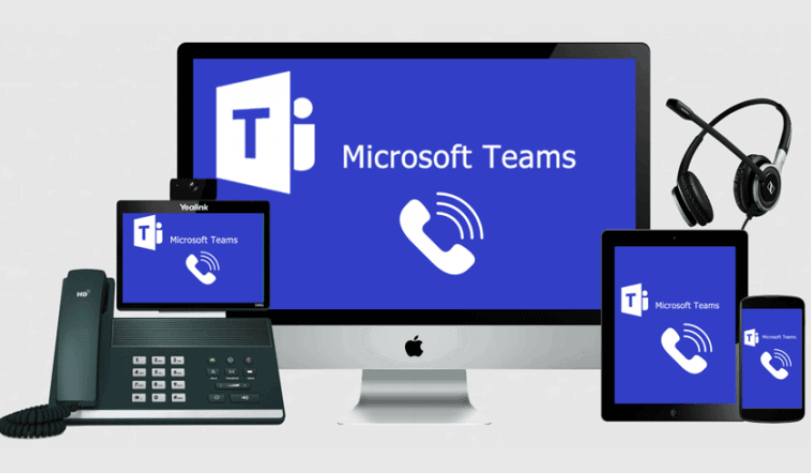
"Microsoft Teams Rooms infographic illustrating integrated video conferencing and collaboration solutions for hybrid workspaces. Features Microsoft branding, Teams logo, and a digital meeting room setup.

Microsoft Teams Phone

Trusted Cloud Calling Perfectly Integrated in Teams

More than ever, you need to stay productive and collaborate effectively. Microsoft Teams gives you great features to help you stay on task, work better together, and be more successful. You’re already using Teams for chat, meetings, and collaboration. Teams Phone helps take it to the next level, giving you the freedom to make and receive calls from anyone, anywhere, on any device.

Call Anyone, Anywhere, on Any Device

Stay connected with a single phone number across your computer, mobile device and desk phone.

Secure, Reliable, and Rich Calling

Cloud calling features like consultative transfers, music on hold, call park, voicemail transcription and more.

All-in-one Communications Solution

Work smarter by bringing together calls, chats and meetings in an all-in-one application.

Streamline Management

Save time and money with a single provider for all your communications. Easily add phone numbers and manage your system in the MS365 admin console.

Microsoft Teams Phone vs 3CX:

  • Choose Microsoft Teams Phone if you prioritize seamless integration with Microsoft Teams and 365, and need a simple, managed calling solution for internal collaboration or remote work.
  • Choose 3CX if you need advanced telephony features, greater control over your infrastructure, or multi-channel customer interactions beyond voice calls.

Both solutions can be powerful in the right context, but the decision ultimately depends on the complexity of your telephony needs, existing infrastructure, and preferred ecosystem

Need more help and guidance, please reach out or review the provided detail below to help make more informed decisions on the correct cloud communication solutions for your business. 

  1. Advanced Call Center and Telephony Features:

    • You need advanced PBX features such as call queues, IVR (Interactive Voice Response), call recording, and real-time call monitoring.
    • Ideal for contact centers that require features like detailed analytics, auto-attendants, and call routing customization.
  2. Cost Efficiency and Control:

    • You want a cost-effective VoIP solution with flexible licensing options (pay-per-instance or on-premises hosting).
    • You prefer to minimize telephony costs by using SIP trunks with a low-cost, scalable PBX setup.
  3. Deployment Flexibility:

    • The need for on-premises, hybrid, or cloud-based deployment based on security or data control requirements.
    • You prefer hosting your communication infrastructure in your own cloud environment (e.g., AWS, Azure, or Google Cloud).
  4. Compatibility and CRM Integration:

    • You need seamless integration with third-party CRMs, ERP systems, or custom software.
    • Useful if you require open APIs and need to integrate with existing tools beyond the Microsoft ecosystem.
  5. Unified Communication Across Channels:

    • You want VoIP, video conferencing, live chat, and web calling in a single platform for customers and employees.
  1. Microsoft 365 Ecosystem Adoption:

    • Your organization is heavily integrated into the Microsoft ecosystem (e.g., using Teams, Outlook, SharePoint).
    • You want a phone system directly tied to Microsoft Teams, allowing seamless calling within the app.
  2. Minimal Telephony Complexity:

    • The business has straightforward calling needs and doesn’t require complex PBX features like call queues or IVR.
    • Ideal for businesses focused on internal collaboration rather than extensive external call center operations.
  3. Remote or Hybrid Workforce:

    • Your team uses Microsoft Teams as the primary collaboration tool, and you want to extend its calling capabilities for remote work.
    • You want a native Microsoft Teams experience with calling, conferencing, and messaging in one app.
  4. Scalability Without Management Overhead:

    • You prefer a cloud-native, managed solution with minimal infrastructure to maintain.
    • Great for organizations that want quick scalability without the need for SIP trunk management or on-premises equipment.
  5. Global Calling Plans and Compliance:

    • You need international calling plans managed by Microsoft, ensuring compliance with local telecommunication regulations.
    • Microsoft Teams Phone can offer carrier-managed services across multiple regions without the need for third-party SIP providers.

Empower your Business
with Abm

This is ABM's logo expressing excellence in MSP managed service, field service, cybersecurity, and business innovation.

Access more Detail on Microsoft Teams Phone

ABM Logo

Book a Consultation

Let's have a chat

FREE
IT Buyers Guide

Know what you should pay, and what to avoid.